VIRTUALIZATION / LAB-004
Proxmox VE homelab and Debian 13 recovery
Repurposing a laptop as a KVM/QEMU host and validating a Debian VM from deployment through backup and recovery.
Proxmox VE · KVM/QEMUDebian 13The restore output records a completed recovery into VM 101 while VM 100 remained intact. The lab record also documents booting the recovered guest with its network disconnected and signing in through the console.
01 / Architecture
I reused an HP ProBook 4540s with an Intel Core i7-3612QM (4 cores, 8 threads), approximately 12 GB RAM and a 480 GB Kingston A400 SSD. Proxmox used an ext4 root filesystem and LVM storage, including the LVM-thin pool for guest disks.
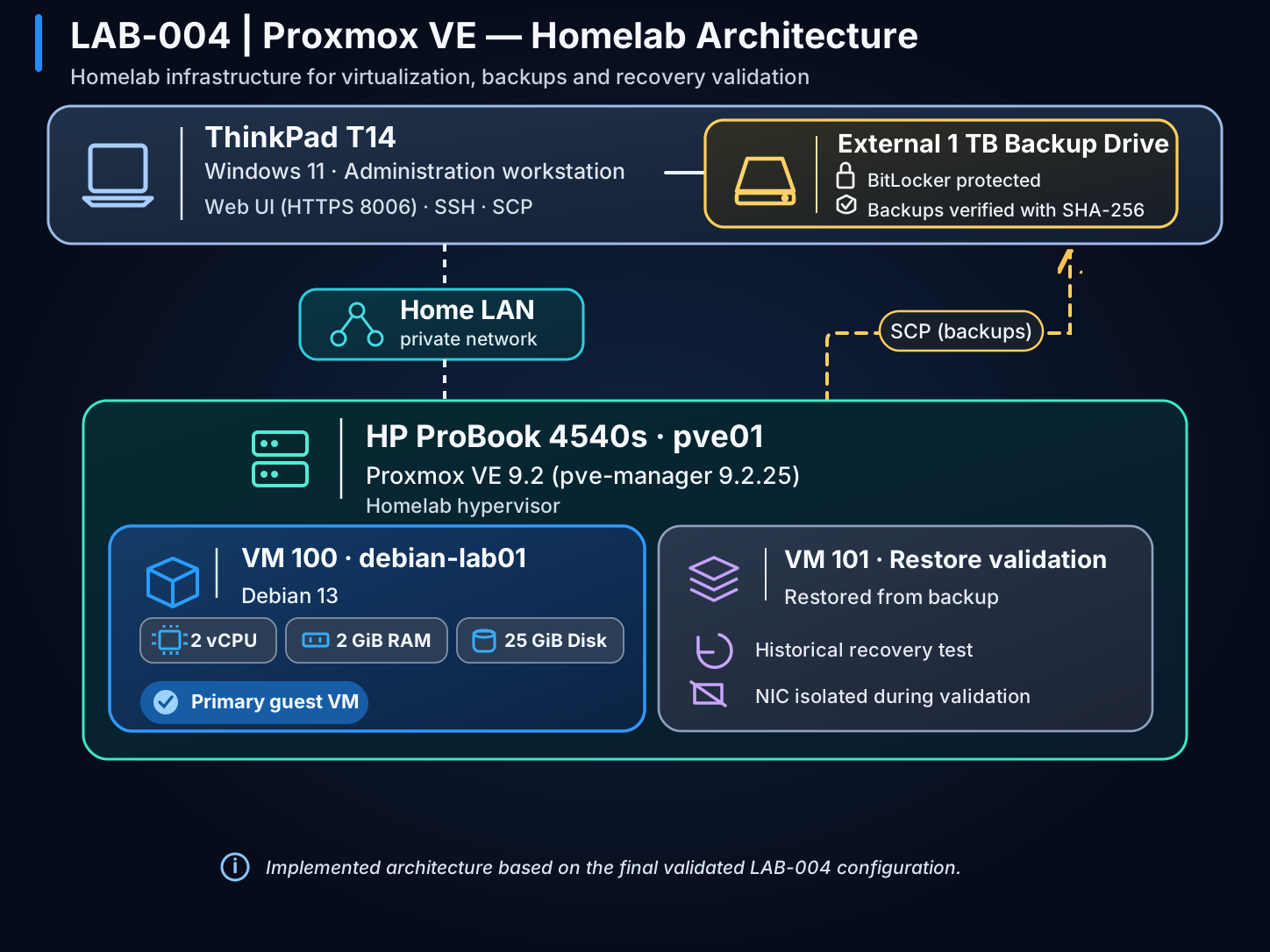
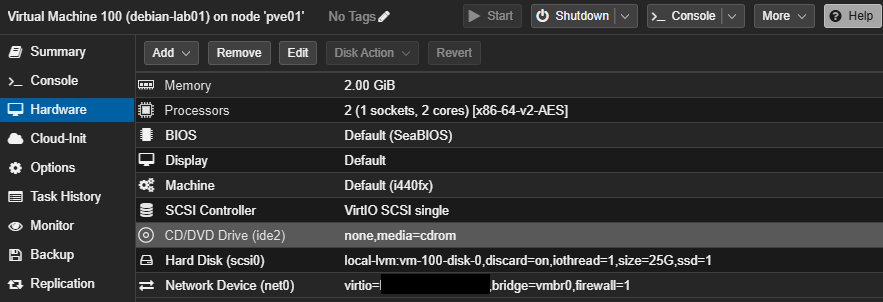
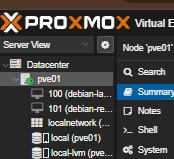
VM 100 (debian-lab01) ran Debian 13 with 2 vCPUs, 2 GiB RAM, a 25 GiB virtual disk on local-lvm, a VirtIO NIC, SSH and QEMU Guest Agent. VM 101 (debian-restore-test) was created from its backup.
02 / Implementation
- I verified the Proxmox installation ISO with SHA-256, prepared the bootable USB and installed onto the Kingston SSD. I excluded the HGST drive from trusted storage after the SMART warning.
- I bridged guest networking to the home LAN through vmbr0. Proxmox and Ceph Enterprise repositories returned HTTP 401. I disabled those entries, enabled Proxmox No-Subscription for this lab and confirmed that APT could read the package indexes.
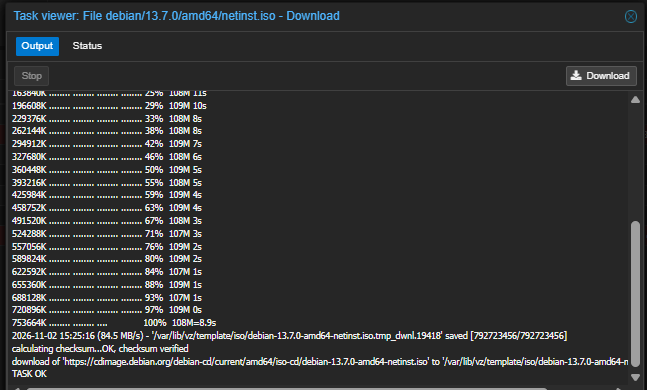
- Proxmox rejected the first Debian ISO download because SHA-512 was selected with a SHA-256 checksum. I selected SHA-256 with the matching digest and the download passed verification.
- I provisioned Debian on local-lvm with VirtIO networking, enabled SSH and QEMU Guest Agent, and configured a systemd-logind drop-in to ignore lid closure.
- Before updating Proxmox, I compressed and encrypted the host configuration with OpenSSL AES-256-CBC and PBKDF2. I created a separate Zstandard-compressed VM backup with vzdump in stop mode. I transferred both over SCP and matched the SHA-256 hashes at source and destination. An elevated Windows check confirmed BitLocker protection on the external drive.
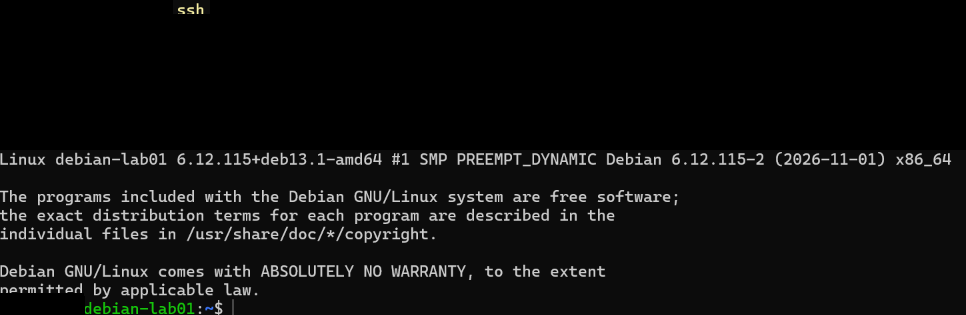
- After rebooting into the updated kernel, I reconnected to Debian over SSH and checked both guest services and outbound connectivity. I then restored the VM backup into a separate ID on local-lvm.
Representative verification commands
# Proxmox host
pveversion
uname -r
qm list

# Debian guest
systemctl status qemu-guest-agent
03 / Validation and recovery
The validation combines cropped original screenshots, terminal output recovered from the lab history and observations from the technical closeout. The evidence section identifies what each capture shows.
- Management and network
I reached the Proxmox interface over HTTPS with a browser trust warning. Debian reached the LAN and Internet, resolved DNS and accepted SSH from Windows. I also checked sudo.
- Guest integration
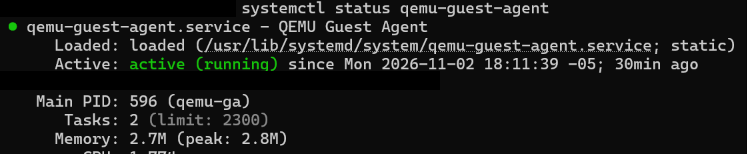
The QEMU Guest Agent service was active in VM 100.
- Lid closure
The lab record reports that connectivity persisted with the lid closed. The original ping output shows 10 replies from 10 requests.
- Temperature
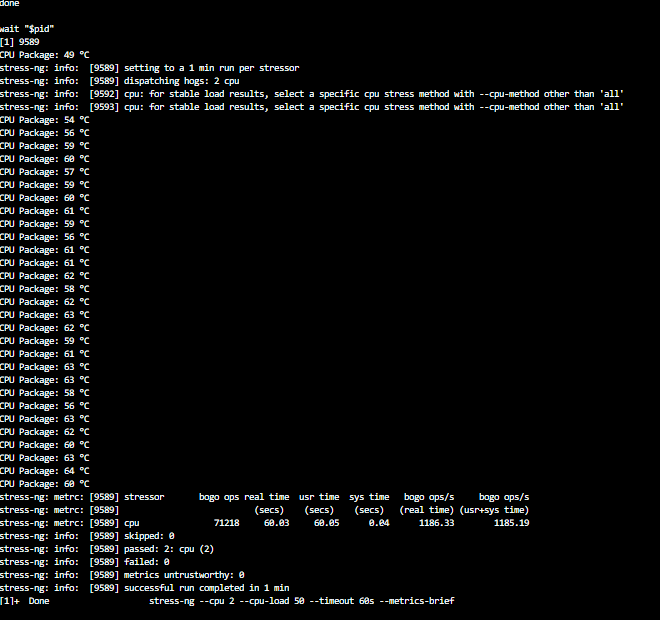
CPU Package was approximately 47–48 °C at idle. It reached 64 °C in a 60-second stress-ng run with two workers at 50% load each and zero reported failures.
- Update and reboot
The node booted with pve-manager 9.2.25 and kernel 7.0.14-26-pve. A recorded SSH session after reboot shows SSH and QEMU Guest Agent active and 3 of 3 replies from an external IP.
- Backup integrity
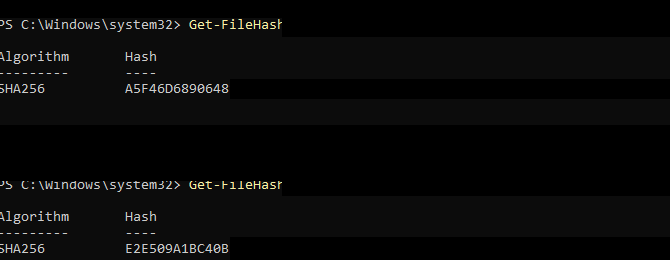
The source and destination SHA-256 hashes matched for both archives. The host archive was individually encrypted. The compressed VM archive was protected at rest on the external BitLocker volume.
Restoring VM 101
The recovered terminal output shows the restore reaching 100% and qm list showing both VMs stopped, with separate IDs and 25 GiB boot disks. The excerpt below omits shell prompts and unrelated output.
progress 99% (read 26575110144 bytes, duration 13 sec)
progress 100% (read 26843545600 bytes, duration 13 sec)
total bytes read 26843545600, sparse bytes 24884215808 (92.7%)
space reduction due to 4K zero blocks 2.91%
rescan volumes...
      VMID NAME                 STATUS     MEM(MB)    BOOTDISK(GB) PID
       100 debian-lab01         stopped    2048              25.00 0
       101 debian-lab01         stopped    2048              25.00 0
VM 101 inherited the name debian-lab01 from the VM 100 backup, which is why that name appears in the restore output. I then renamed VM 101 to debian-restore-test in Proxmox, while the Debian hostname inside the copy remained debian-lab01.
The lab record then documents disconnecting VM 101’s virtual NIC using link_down=1, starting it and signing in from the console. The available console crop shows a Debian login under the inherited hostname, without a visible VM ID. The closeout records that VM 101 and the host were shut down after the test.
04 / Evidence
The public copies keep the language of the original screenshots. I cropped or masked administration and private network details.


05 / Limits and lessons
- A 500 GB HGST HDD was excluded from trusted storage following SMART issues. The laptop battery was degraded.
- Thermal checks were brief and moderate. Fan RPM was unavailable. The anomalous 127 °C ACPI reading was excluded from CPU Package measurements. Continuous and maximum-load behavior remain unmeasured.
- A GRUB/UEFI metapackage maintenance observation remained open. The recorded reboot succeeded.
- The single-node environment had no high availability. External backup verification and the guest restore covered this exercise. Enterprise retention and full host recovery remain outside its scope.
Checksum verification confirmed transfer integrity. Boot and console login answered the separate operational question of whether the backup could recover a usable Debian guest.